
Drift is a fantastic tool that marketers can use to support customer service and drive lead generation.
Ruler Analytics integrates with Drift to allow you to better track your live chat conversations and conversions in the apps you need it.
Specifically, you can send your live chat data into Salesforce to monitor sales chats happening in Drift.
It allows you to prove the return of your live chat tool and double down on channels that are driving the most value.
How to send Drift conversions to Salesforce using Ruler Analytics
The Ruler integration with Drift and Salesforce lets you create leads and contacts from chats in Salesforce and assign lead source data. Here’s how it works.
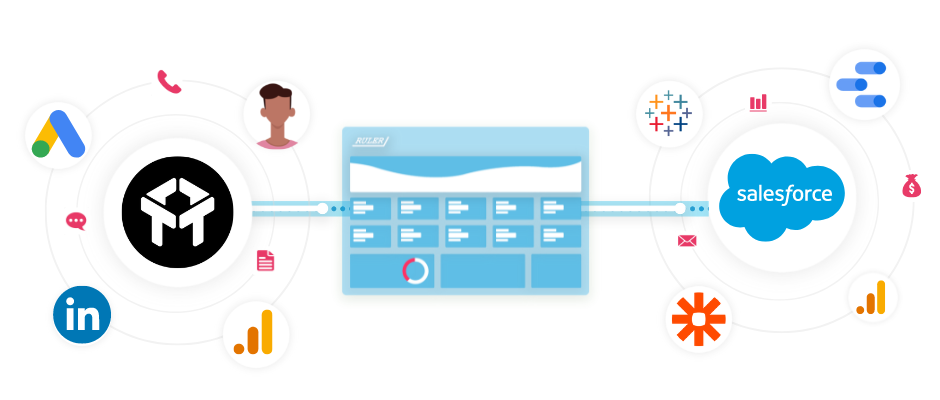
Capture each anonymous visitor over multiple touchpoints and traffic sources
Ruler is a marketing attribution tool that tracks your anonymous website visitors every time they engage with your content and campaigns giving you a full picture of their marketing journey.
Related: How to view full customer journeys with Ruler
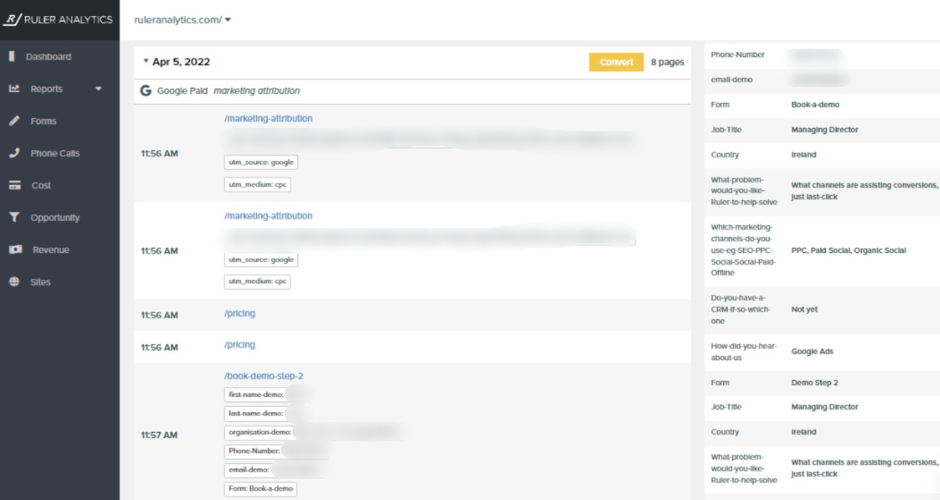
Looking at this specific journey, we can see that a visitor clicked on a Google Ad after searching the keyword “marketing attribution” and converted via a form fill.
Pass Drift conversion and marketing lead source data to Salesforce
When a visitor converts into a lead via Drift, Ruler will match them to their marketing journey and pass captured data over to Salesforce. It means you can see the full conversion and lead source data directly in your CRM.
Related: How can Ruler enrich your Salesforce CRM?
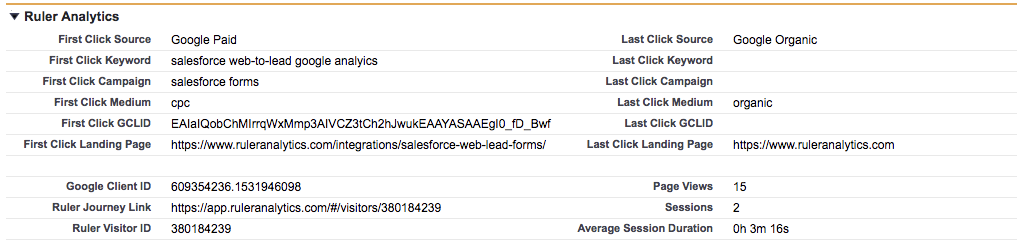
⚠️ Important note: You’ll need to set up custom fields in Salesforce to send first/last click data from Ruler Analytics. We have a guide on how to create custom fields in Salesforce that can help you get started.
Attribute Salesforce revenue from closed/won deals to your marketing tactics
When a lead agrees to a deal or completes a sale, the revenue data will get sent back to the Ruler dashboard so that you can measure the impact of your marketing sources, campaigns, keywords and ads based on monetary values.
Send Salesforce revenue data to the tools you use every day
Ruler can scrape Salesforce for key revenue and deal data that you can then push into marketing apps like Google Analytics, Google Ads, Facebook and Microsoft Advertising.
Related: How Ruler enriches your attribution reports in Google Analytics
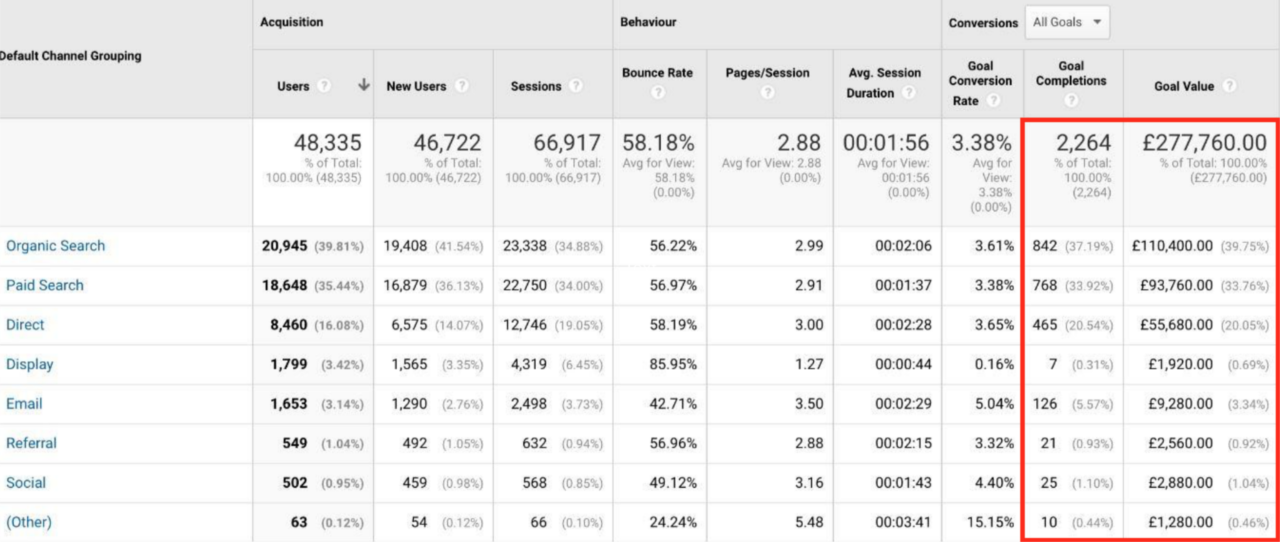
This allows you to report back on revenue and accurately attribute closed sales back to your marketing campaigns.
Ready to attribute revenue back to Drift?
Want to learn more about tracking Drift leads in your CRM? Book a demo today and see how Ruler Analytics closes the loop between Drift and Salesforce.
Related articles:
Connecting Salesforce CRM revenue data with Google Analytics
Salesforce’s Web-to-Lead Forms: A complete guide
All you need to know about Salesforce multi-touch attribution
How to track leads in Salesforce and view your original source
Add lead source to Salesforce and attribute marketing revenue